 Best match
Related: array methodsBeginner
Emoji Rating
Transform collections of data into dynamic page content.
Build an emoji rating →Build a tabs section with HTML, CSS, and JavaScript while practicing click events and DOM selection.
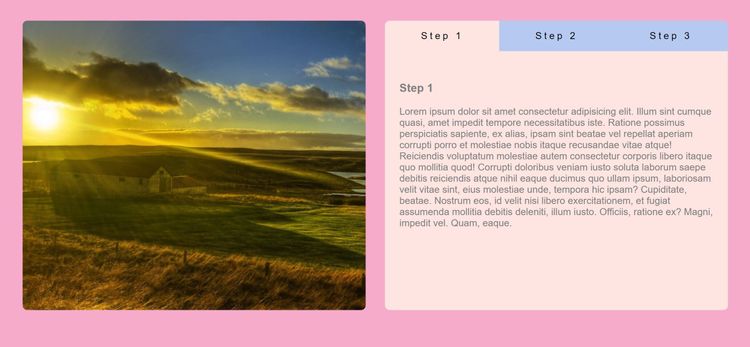
In this project, we’re going to build a tabs section using HTML, CSS, and JavaScript. You’ll see how to connect user interactions to visible changes on the page. Along the way, you’ll practice click events, DOM selection, and CSS class toggling, so you can understand how the interface and JavaScript logic work together.
Recommended knowledge: Basic HTML and CSS, JavaScript arrays and array methods, JavaScript variables and number operations, DOM selection and click events.
This project runs directly in the browser with HTML, CSS, and JavaScript.
index.html<!DOCTYPE html>
<html lang="en">
<head>
<meta charset="UTF-8" />
<meta name="viewport" content="width=device-width, initial-scale=1.0" />
<title>Tabs Project</title>
<!-- styles -->
<link rel="stylesheet" href="styles.css" />
</head>
<body>
<div class="section-center">
<div class="image">
<img src="https://external-content.duckduckgo.com/iu/?u=https%3A%2F%2Fwww.hdnicewallpapers.com%2FWalls%2FBig%2FNature%2520and%2520Landscape%2FBeautiful_Sunrising_Nature_Image.jpg&f=1&nofb=1" alt="" />
</div>
<div class="tabs">
<!-- btn container -->
<div class="btn-container">
<button class="button live" data-id="step1">Step 1</button>
<button class="button" data-id="step2">Step 2</button>
<button class="button" data-id="step3">Step 3</button>
</div>
<div class="tabs-content">
<!-- single item -->
<div class="content live" id="step1">
<h3>Step 1</h3>
<p>
Lorem ipsum dolor sit amet consectetur adipisicing elit. Illum sint cumque quasi, amet impedit tempore necessitatibus iste. Ratione possimus perspiciatis sapiente, ex alias, ipsam sint beatae vel repellat aperiam corrupti porro et molestiae nobis itaque recusandae vitae atque! Reiciendis voluptatum molestiae autem consectetur corporis libero itaque quo mollitia quod! Corrupti doloribus veniam iusto soluta laborum saepe debitis reiciendis atque nihil eaque ducimus quo ullam ipsum, laboriosam velit vitae sint, eius molestiae unde, tempora hic ipsam? Cupiditate, beatae. Nostrum eos, id velit nisi libero exercitationem, et fugiat assumenda mollitia debitis deleniti, illum iusto. Officiis, ratione ex? Magni, impedit vel. Quam, eaque.</p>
</div>
<!-- end of single item -->
<!-- single item -->
<div class="content" id="step2">
<h3>Step 2</h3>
<p>
Lorem ipsum dolor sit amet consectetur adipisicing elit. Adipisci molestiae doloremque enim deleniti voluptatum necessitatibus, facilis et quas, quasi magni obcaecati iusto ipsam ipsum amet autem labore dignissimos accusantium dolorem perspiciatis non harum, alias vel a asperiores? Qui amet tempora mollitia quos, facilis debitis nemo praesentium, optio facere nostrum, eum totam magnam quasi laborum sint repellendus quibusdam vero? Ipsum explicabo officiis culpa delectus quasi cumque saepe voluptates accusantium voluptatem omnis iste, sequi beatae quae dolor vero nostrum at amet eum dolores ut. Autem velit eius, libero adipisci dolore harum accusantium ipsum, voluptate ad recusandae vitae blanditiis? Harum nihil molestiae cum!
</p>
</div>
<!-- end of single item -->
<!-- single item -->
<div class="content" id="step3">
<h3>Step 3</h3>
<p>
Lorem, ipsum dolor sit amet consectetur adipisicing elit. Quaerat, asperiores magnam? In expedita laudantium magnam ratione alias minus nemo incidunt, dignissimos architecto placeat corporis molestiae labore vitae ullam laborum ut culpa eaque officiis, blanditiis sunt fugit ex? Neque quod mollitia delectus ipsa? Dolore veritatis, tenetur laudantium possimus unde debitis enim est illum, ea distinctio quod itaque quaerat ex sint eum optio in saepe labore sunt odit? Dolore, iusto! Ducimus sint laudantium consectetur. Velit facere culpa excepturi ad, quae distinctio iure incidunt. Odio alias laboriosam unde quo repudiandae corporis laborum quaerat asperiores minima quis in nam maxime recusandae iure, provident a?
</p>
</div>
<!-- end of single item -->
</div>
</div>
</div>
<!-- javascript -->
<script src="app.js"></script>
</body>
</html>
Practice array methods, javaScript calculations, and conditional logic with these related projects.
Best matchTransform collections of data into dynamic page content.
Build an emoji rating →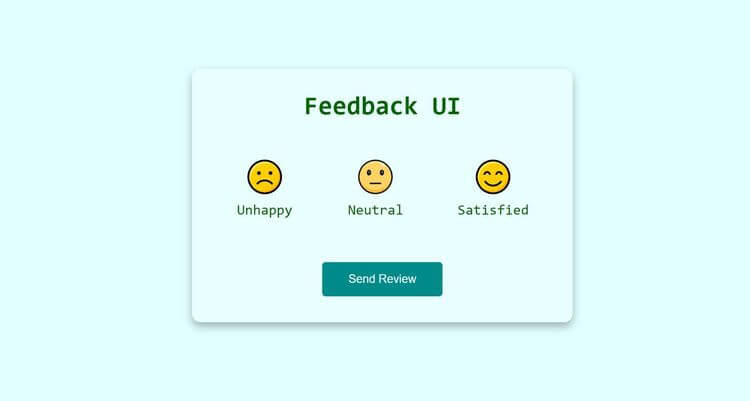
Turn JavaScript calculations into clear visual results.
Build a feedback ui →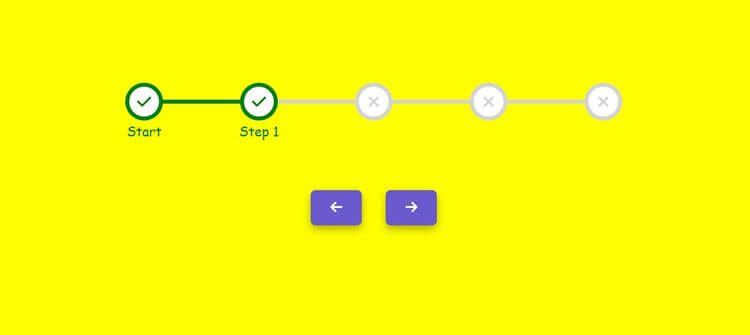
Use conditions to control how the interface behaves.
Build a step progress bar →Transform collections of data into dynamic page content.
Build an emoji ratingTurn JavaScript calculations into clear visual results.
Use conditions to control how the interface behaves.