
100JSProjects
LearnProjectsExplore all projects
100JS_WORKSPACE/Build · Learn · Repeat
100JSProjects

Practical HTML, CSS, and JavaScript projects designed to help you turn concepts into real skills—one build at a time.

01Explore

./All projects./Learning guides./About./Contact./Privacy

02Resources

./GitHub repository./Support the project

© 2026 100 JS Projects. Built for developers.

TermsCookiesContact
JS//Projects/Loading Bar

Loading Bar

Build a loading bar with HTML, CSS, and JavaScript while practicing setTimeout and DOM selection.

Beginner20–30 minutesHTML5CSS3JavaScript
You’ll practice
setTimeoutDOM SelectionDOM Content Updates
View Source CodeLive Demo
demo.100jsprojects.com/loading-bar
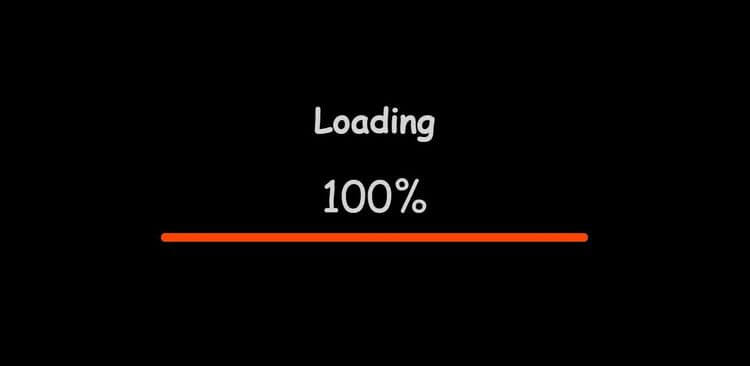
Final resultLoading Bar project previewTry Live Demo
01 — What you’ll build

Loading Bar

This project shows you how HTML, CSS, and JavaScript work together in a loading bar. You’ll connect user interactions to visible changes on the page, then practice setTimeout, DOM selection, and DOM content updates as you build the complete project from scratch.

02 — Included
  • ✓Click-based interactions
  • ✓Loading Bar interface
  • ✓Responsive HTML and CSS layout
  • ✓Complete source code and live demo
03 — You’ll practice
  • >Delay actions with setTimeout
  • >Select HTML elements from the DOM
  • >Update content on the page
  • >Control behavior with conditions
  • >Perform calculations with JavaScript

Recommended knowledge: Basic HTML and CSS, JavaScript functions and callbacks, Browser timers, JavaScript variables and number operations.

Complete project files

Build It from the Source Code

This project uses timed JavaScript updates.

  1. 1Create 3 files
  2. →
  3. 2Copy the code
  4. →
  5. 3Run index.html
Before you run it
  • Leave the tab open to see the timed behavior update.
Project structure
loading-bar/
├──
├──
└──
Need help setting up the project?

Create project files, install Live Server, and run your first project.

Open beginner guide
1
2
3
4
5
6
7
8
9
10
11
12
13
14
15
16
17
18
19
20
<!DOCTYPE html>
<html lang="en">
  <head>
    <meta charset="UTF-8" />
    <meta http-equiv="X-UA-Compatible" content="IE=edge" />
    <meta name="viewport" content="width=device-width, initial-scale=1.0" />
    <title>Loading Bar</title>
    <link rel="stylesheet" href="style.css" />
  </head>
  <body>
    <div class="container">
      <h1>Loading</h1>
      <div class="counter">0%</div>
      <hr class="loading-bar-back" />
      <hr class="loading-bar-front" />
    </div>
    <script src="index.js"></script>
  </body>
</html>

JS// Related Projects

Practice with Related Projects

Practice setTimeout, javaScript calculations, and conditional logic with these related projects.

Auto Text Effect Animation project preview★Best match
Related: setTimeoutBeginner

Auto Text Effect Animation

Build a timed text animation that updates one character at a time.

Build the text effect →

Digital Clock project preview
Related: JavaScript calculations

Digital Clock

Calculate the current time and keep the display updated.

Build a digital clock →
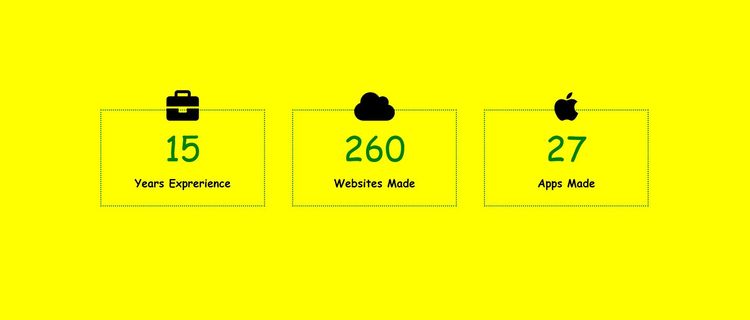
Profile Statistics project preview
Related: conditional logicBeginner

Profile Statistics

Use conditions to control how the interface behaves.

Build a profile statistics →
Auto Text Effect Animation project preview
Related: setTimeout★Best match

Auto Text Effect Animation

Build a timed text animation that updates one character at a time.

Build the text effect
Digital Clock project preview
Related: JavaScript calculations

Digital Clock

Calculate the current time and keep the display updated.

Build a digital clock
Profile Statistics project preview
Related: conditional logic

Profile Statistics

Use conditions to control how the interface behaves.

Build a profile statistics
JS{ }Explore All JavaScript ProjectsBrowse by difficulty or concept.Explore All Projects