 Best match
Related: API requestsIntermediate
Photo Gallery
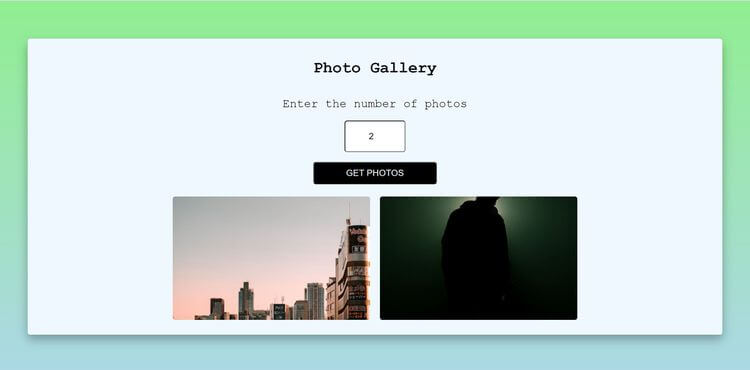
Request remote photos and arrange the results into a gallery.
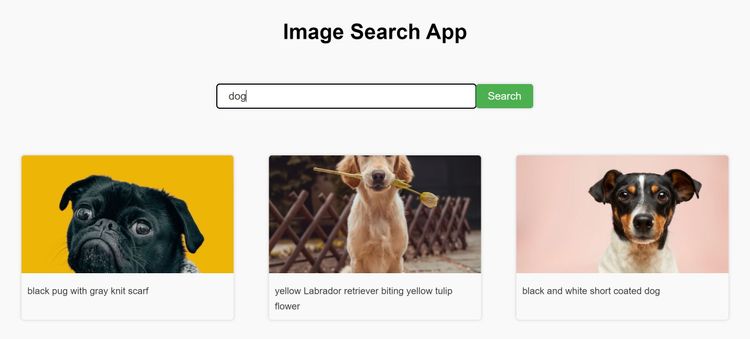
Build a photo gallery →Build an image search app with HTML, CSS, and JavaScript while practicing API requests and async and await.
This project shows you how HTML, CSS, and JavaScript work together in an image search app. You’ll send a search request, render image results, and load additional pages, then practice API requests, async and await, and click events as you build the complete project from scratch.
Recommended knowledge: Basic HTML and CSS, JavaScript functions and arrays, Promises and the Fetch API, DOM selection and form events.
This project connects the interface to live API results.
index.html<!DOCTYPE html>
<html lang="en">
<head>
<meta charset="UTF-8" />
<meta http-equiv="X-UA-Compatible" content="IE=edge" />
<meta name="viewport" content="width=device-width, initial-scale=1.0" />
<title>Image Search App</title>
<link rel="stylesheet" href="style.css" />
</head>
<body>
<h1>Image Search App</h1>
<form>
<input type="text" id="search-input" placeholder="Search for images..." />
<button id="search-button">Search</button>
</form>
<div class="search-results">
<!-- <div class="search-result">
<img
src="https://plus.unsplash.com/premium_photo-1664361480561-3bdcd6eb3b6f?ixlib=rb-4.0.3&ixid=MnwxMjA3fDB8MHxzZWFyY2h8MXx8bmF0dXJlfGVufDB8fDB8fA%3D%3D&auto=format&fit=crop&w=1000&q=60"
alt="image"
/>
<a
href="https://unsplash.com/photos/g-7X6T7vAI4"
target="_blank"
rel="noopener noreferrer"
>an image of a beach</a
>
</div>
<div class="search-result">
<img
src="https://plus.unsplash.com/premium_photo-1664361480561-3bdcd6eb3b6f?ixlib=rb-4.0.3&ixid=MnwxMjA3fDB8MHxzZWFyY2h8MXx8bmF0dXJlfGVufDB8fDB8fA%3D%3D&auto=format&fit=crop&w=1000&q=60"
alt="image"
/>
<a
href="https://unsplash.com/photos/g-7X6T7vAI4"
target="_blank"
rel="noopener noreferrer"
>an image of a beach</a
>
</div>
<div class="search-result">
<img
src="https://plus.unsplash.com/premium_photo-1664361480561-3bdcd6eb3b6f?ixlib=rb-4.0.3&ixid=MnwxMjA3fDB8MHxzZWFyY2h8MXx8bmF0dXJlfGVufDB8fDB8fA%3D%3D&auto=format&fit=crop&w=1000&q=60"
alt="image"
/>
<a
href="https://unsplash.com/photos/g-7X6T7vAI4"
target="_blank"
rel="noopener noreferrer"
>an image of a beach</a
>
</div> -->
</div>
<button id="show-more-button">Show more</button>
<script src="index.js"></script>
</body>
</html>
Practice API requests, async/await, and input values with these related projects.
Best matchRequest remote photos and arrange the results into a gallery.
Build a photo gallery →
Transform recipe data into useful, dynamic recipe cards.
Build a recipe book app →
Look up a word and turn the API response into a useful definition.
Build an english dictionary →Request remote photos and arrange the results into a gallery.
Build a photo galleryTransform recipe data into useful, dynamic recipe cards.
Build a recipe book appLook up a word and turn the API response into a useful definition.
Build an english dictionary